Kshana API
Features
Solutions

Built for every customer-facing team

Kshana helps teams manage WhatsApp conversations, campaigns, automation, and support from one powerful workspace.

Kshana solutions overview
Solutions

Built for every customer-facing team

Kshana helps teams manage WhatsApp conversations, campaigns, automation, and support from one workspace.

Sales TeamsCapture leads, assign chats, and follow up faster to close more deals.
Marketing TeamsRun targeted campaigns, manage templates, and track customer engagement.
Support TeamsResolve customer queries faster with shared inbox, notes, and automation.
Operations TeamsSend updates, reminders, service messages, and manage workflows at scale.
AgenciesManage multiple clients, campaigns, inboxes, and WhatsApp numbers.
E-commerceSend order updates, promotions, abandoned cart reminders, and support messages.
View all solutionsExplore all use cases and see how Kshana fits your business.
BlogNews, practical articles, launches, and tactical WhatsApp insights.
GuidesPractical WhatsApp API playbooks for teams and operators.
API basicsCore concepts, pricing, limits, security, and onboarding basics.
Template messagingApproval-ready template patterns for campaigns and lifecycle flows.
Automation tipsLead capture, bot reply, routing, and handoff workflow examples.
API docsEndpoints, collections, help center references, and implementation docs.
Free toolsCreate WhatsApp click-to-chat links and website contact widgets.
View all resources
PricingAbout
LoginStart Free Trial
Features
Sales TeamsCapture leads, assign chats, and follow up faster to close more deals.Marketing TeamsRun targeted campaigns, manage templates, and track customer engagement.Support TeamsResolve customer queries faster with shared inbox, notes, and automation.Operations TeamsSend updates, reminders, service messages, and manage workflows at scale.AgenciesManage multiple clients, campaigns, inboxes, and WhatsApp numbers.E-commerceSend order updates, promotions, abandoned cart reminders, and support messages.
BlogNews, practical articles, launches, and tactical WhatsApp insights.GuidesPractical WhatsApp API playbooks for teams and operators.API basicsCore concepts, pricing, limits, security, and onboarding basics.Template messagingApproval-ready template patterns for campaigns and lifecycle flows.Automation tipsLead capture, bot reply, routing, and handoff workflow examples.API docsEndpoints, collections, help center references, and implementation docs.Free toolsCreate WhatsApp click-to-chat links and website contact widgets.
PricingAbout
LoginStart Free Trial
Meta Verified Tech Provider

Turn Conversations into Growth with WhatsApp API

Engage customers, run campaigns, and automate follow-ups with Kshana. Bring your WhatsApp conversations and customer journeys into one workspace.

  • No codingrequired
  • Quick setupGuided steps
  • Globalcoverage
  • Secureby design
Start 14-Day Free Trial Book a Demo
  • No credit card required
  • Guided setup
  • Flexible plans
Illustrative campaign, lead, support, and template activity around a hollow globe.
Campaign SentReach your audience
New LeadConversation started
Support TicketAssigned to agent
Template ApprovedReady to send

The platform

Everything your WhatsApp team needs, working together.

Replace disconnected tools with a shared workspace for conversations, customer information, and the work that follows.

One inbox. Your whole team.

Assign conversations, add internal notes, and keep customer context together when ownership changes.

Explore feature

Campaigns with a clear next step

Build an audience from your contacts, send approved templates, and follow delivery and replies.

Explore feature

WhatsApp Flows

Collect enquiries, preferences, and feedback inside WhatsApp, then connect responses to your workspace.

Explore feature

Automation with human handoff

Build repeatable follow-ups and routing workflows, with your team available when a conversation needs attention.

Explore feature

Templates and industry packs

Start with editable drafts for your customer journeys, add your branding, and submit templates for Meta approval.

Explore feature

Reporting that stays connected

Review messaging activity, campaign delivery, and the opportunities and follow-ups behind each conversation.

Explore feature

How it works

From a WhatsApp enquiry to a clear next step.

Receive the message, collect the details, connect the right teammate, and follow up. One connected journey with Kshana.

Showing the sales enquiry example.

  1. 01

    Connect

    Every conversation starts somewhere.

    Bring customer enquiries and campaign replies into one shared WhatsApp inbox.

    Illustrative sales enquiry example: Connect

    A new conversation

    Hi! Can I get a demo for my sales team?

    Enquiries in one inbox

    Campaign replies in context

    Shared team visibility

  2. 02

    Capture

    Get the details that matter.

    Use a WhatsApp Flow to collect the information your team needs to take the next step.

    Illustrative sales enquiry example: Capture

    Tell us about your business

    Company name: Acme Technologies / Team size: 11-50 people / Interested in: Shared sales inbox

    Forms inside WhatsApp

    Structured customer details

    Responses linked to your workspace

  3. 03

    Engage

    The right team. The right response.

    Assign a teammate, see customer context, and respond from a unified team inbox.

    Illustrative sales enquiry example: Engage

    Sales team

    Hi Priya! What would you like to see in the demo?

    Clear conversation ownership

    Customer history in view

    Reply with approved templates

  4. 04

    Follow through

    Keep the next step in sight.

    Create a follow-up with an owner and due date, and keep the outcome on the customer record.

    Illustrative sales enquiry example: Follow through

    Demo requested

    Send demo details. Tomorrow, 11:00 AM. Keep the opportunity on the customer record.

    Owner and due date

    Track follow-up status

    Keep the outcome with the customer

Connected

customer conversations

Structured

enquiries and next steps

Unified

team inbox

Tracked

customer follow-ups

Illustrative examples. Flows, assignments, and follow-ups depend on your workspace configuration.

Teams and use cases

The right tools for every customer-facing team.

Different responsibilities. Shared customer context. See how sales, support, and marketing can work together without losing the conversation.

Sales teams

From enquiry to opportunity

Turn a customer message into a qualified enquiry with the context your sales team needs.

Sales teams: A demo request, ready for the right rep.
A demo request, ready for the right rep.
  • Collect needs with a WhatsApp Flow
  • Assign an owner to every enquiry
  • Track the demo, quote, or follow-up
Explore sales teams

Support teams

From question to resolution

Give your team one conversation history so customers do not have to start again at every handoff.

Support teams: An account question, with context attached.
An account question, with context attached.
  • See past messages and customer details
  • Add internal notes for your teammates
  • Keep ownership and next steps clear
Explore support teams

Marketing teams

From campaign to conversation

Send relevant approved templates to opted-in customers and bring their replies back to your team.

Marketing teams: A campaign reply becomes a useful conversation.
A campaign reply becomes a useful conversation.
  • Build audiences from your contacts
  • Review delivery and campaign replies
  • Connect interest to a team response
Explore marketing teams

Also built for operations, agencies, and commerce teams.

Explore all team solutions

Industry journeys

Start with the way your customers do business.

Explore industry-specific journeys and editable starter content, then tailor the experience to your own team and processes.

Education & EdtechHealthcareE-commerceReal EstateIT Services & SaaSTravel & Tourism
Explore all industries

Getting started

From a business number to a connected workspace.

Three clear steps. Keep control of your business account, bring your team together, and prepare the experience your customers will use.

  1. 01

    Create your workspace

    Create your workspace walkthrough

    Choose a plan, add your business details, and invite the people who will manage customer conversations.

    Business profile

    Team roles and permissions

    A shared home for your team

  2. 02

    Connect through Meta

    Connect through Meta walkthrough

    Sign in directly with Meta, select your WhatsApp Business Account and number, and review the permissions.

    Business account and number

    Applicable verification and approvals

    Your business number, connected
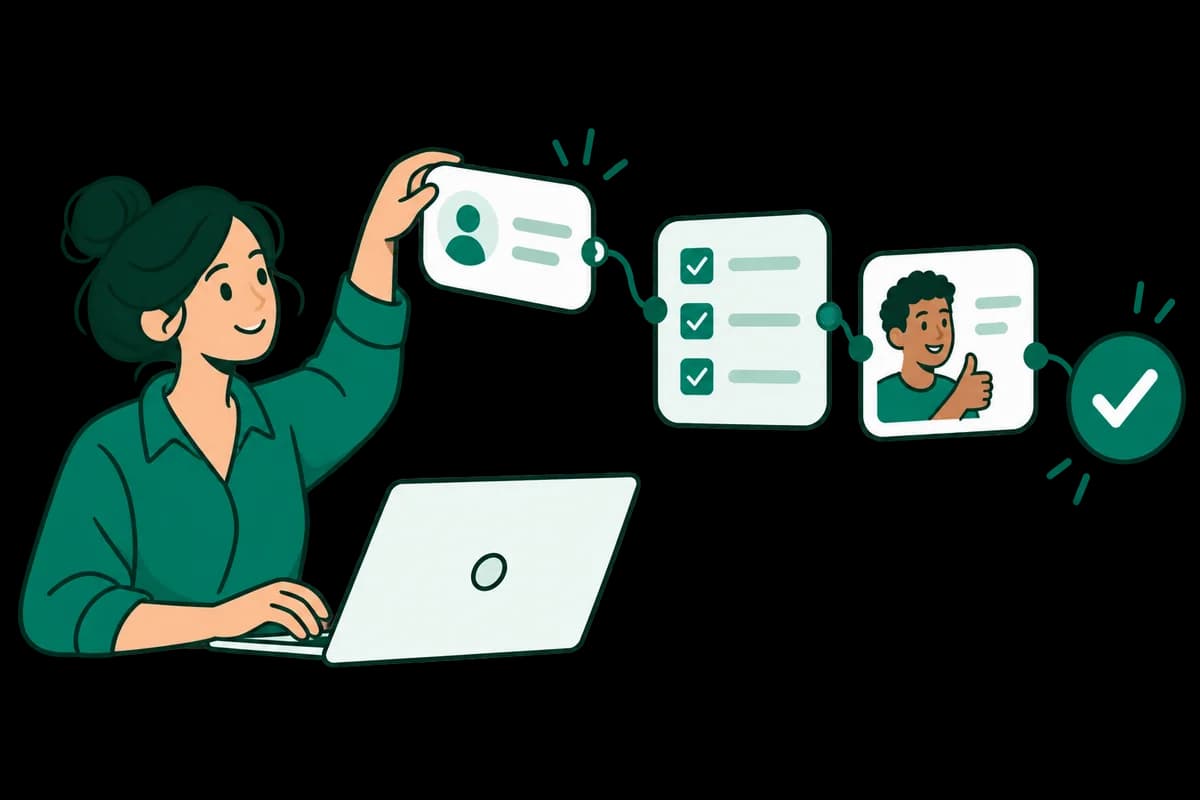
  3. 03

    Build your first journey

    Build your first journey walkthrough

    Prepare a template or Flow, configure the next step, and test the customer experience before sending.

    Approved templates where required

    Customer consent and a test journey

    A customer experience ready to review

Know what is included before you start.

Live messaging depends on completing applicable Meta setup and approvals. Your Kshana subscription and Meta messaging charges are separate. View pricing

Create your workspace Get help with setup

Before you start

A few things worth knowing.

Clear answers about onboarding, messaging, and how the platform fits your business.

Do I need a developer to get started?

You can manage contacts, templates, campaigns, Flows, and automations in the workspace without writing code. Custom integrations may need development work.

Can my team reply from the same business number?

Yes. The shared inbox gives your team access to conversations with assignment and internal notes, subject to each user's permissions and your plan.

What is the difference between Flows and automations?

A WhatsApp Flow is a form-like experience customers complete inside WhatsApp. Automations define what your business does next, such as routing a conversation or creating a follow-up.

Can I send a message to any phone number?

You need the customer's appropriate permission to message them. Outside the customer service window, business-initiated messages generally require an approved template. Sending a message does not guarantee delivery. Read Meta's messaging policy.

Are Meta messaging charges included in the subscription?

Your Kshana subscription and Meta messaging charges are separate. Review the pricing page and your WhatsApp billing settings before launching a campaign.

Is WhatsApp available immediately after I sign up?

You can access your workspace after signup. Live messaging also requires connecting your WhatsApp Business Account and completing applicable Meta setup, verification, and template approval steps.

Make your next conversation count

Bring your WhatsApp business together.

Start your 14-day trial, or talk to us about the customer journey you want to build.

Start free trial Talk to our team
Kshana API

Kshana keeps WhatsApp conversations, lead context, follow-ups, and team operations connected for revenue and support teams.

Platform
FeaturesSolutionsIndustriesPricingBook a Demo
Resources
ResourcesBlogGuidesHelp CenterAbout Kshana API
Free Tools
All Free ToolsWhatsApp Link GeneratorWhatsApp QR GeneratorTemplate PreviewCampaign PlannerCampaign Link BuilderWebsite Widget Generator
Legal
Privacy PolicyTerms & ConditionsAcceptable UseWhatsApp ComplianceData DeletionCookie PolicySecurity
Contact Us
Salesinfo@kshanaapi.comSupportsupport@kshanaapi.com+91 9346195204
Contact the team
Get the app
App StoreGoogle Play

© 2026 Kshana API. All rights reserved.

Kshana API is an approved Meta Technology Provider. WhatsApp and Meta are trademarks of Meta Platforms, Inc.

Chat on WhatsAppOpens in a new tab